
HAT Insights
Business process automation: a complete guide for SMEs
Business process automation lets software run repetitive, rule-based steps. What to automate first, the main tool types, time saved and risks.
Published · 9 min read
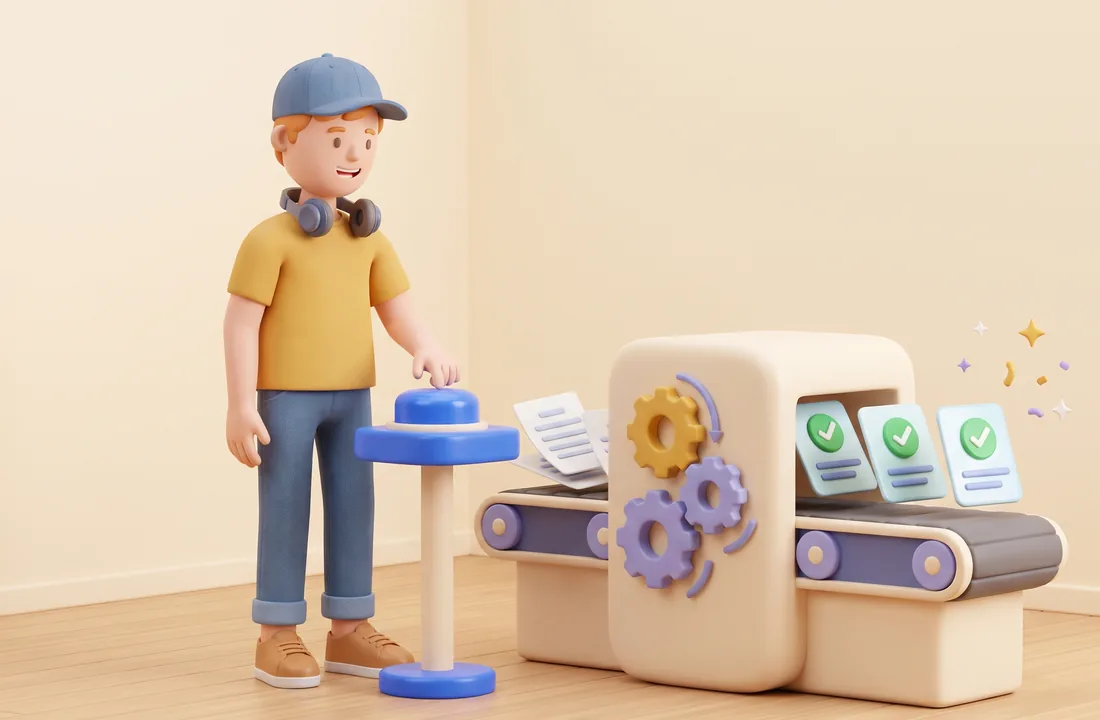
In short: Business process automation means letting software run the repetitive, rule-based steps of a process, such as moving data between systems, sending reminders and creating documents, while people handle exceptions and approvals. Start with processes that repeat often, follow clear rules and already use digital data, such as quoting, purchase requests or receivables reminders. Before choosing a tool, map the process, remove unnecessary steps and measure today's effort so you can tell what you saved.
What is business process automation?
Business process automation is the use of software to run steps that people used to do by hand: receiving data, checking it against rules, passing it to another system and notifying whoever needs to know. People step in only where judgement or approval is required.
A familiar example: a customer fills in an order form on your website. Without automation, someone reads the email, types the order into Excel, messages the warehouse, then enters it into the accounting system. With automation, the order goes straight into the sales system, the warehouse is notified immediately and accounting sees it in the queue for invoicing. Staff deal only with problem orders, such as items out of stock or a wrong address.
Automation comes in levels:
| Level | What it does | Example |
|---|---|---|
| Built-in features of existing software | Reminders, rule-based approvals, template emails | Accounting software sends payment-due reminders |
| Connections between systems | Moves data when something happens, no retyping | A website order creates a sales order automatically |
| RPA | Mimics user clicks in software that has no API | A bot logs into a portal and downloads statements |
| AI-assisted automation | Reads emails, documents and text, then classifies or extracts | Reading invoices in many layouts and pulling out amounts and tax IDs |
The difference between RPA (robotic process automation) and AI automation, and how to choose between them, is covered in AI process automation vs RPA. This guide takes the wider view: choosing processes, choosing tools, estimating value and controlling risk.
Which work suits automation?
Automation fits work that repeats often, follows clear rules and uses data that is already digital. Check five signs before automating a task: it happens daily or weekly; the steps are the same each time and can be written as "if this, then that"; the input already lives in software, files or email rather than handwritten paper; mistakes are costly, like quoting the wrong price or forgetting to chase a debt; and someone is currently retyping data from one place to another.
Leave alone the tasks done a few times a year, tasks that are different every time, and tasks where human judgement is the main value, such as negotiating with a key account. AI can help draft for those, but a person still does the work.
What to automate first
Start with processes that touch customers or cash, repeat often and involve retyping. In trading and service businesses the usual first candidates are quoting, purchasing and receivables. The tables below are hypothetical illustrations of before and after, not results from a specific company.
Quoting
| Step | Before | After |
|---|---|---|
| Request | Customer messages a salesperson, who copies it down | Requests from forms, email and chat land in one list |
| Price check | Open two or three spreadsheets, ask the warehouse about stock | System pulls price and stock from one source |
| Drafting | Copy a Word template, type each line | Draft generated from a template, salesperson reviews |
| Approval | Message the manager and wait | Only quotes above the discount limit need approval |
| Follow-up | Memory or a notebook | Automatic reminder if the customer hasn't replied after a set number of days |
The crucial move is getting prices into one source. While price lists live in several files, everything automated downstream is error-prone. For AI in selling, see AI in sales and marketing.
Purchasing
| Step | Before | After |
|---|---|---|
| Purchase request | Paper slip or chat message | Request form with a standard item list |
| Approval | Waiting for signatures, sometimes lost | Approval by limit on a phone, automatic chasers |
| Ordering | Retyping the order for the supplier | Purchase order created from the approved request |
| Receiving and matching | Warehouse, purchasing and accounting each keep their own records | Goods receipt matched to the PO automatically, mismatches flagged |
Receivables
| Step | Before | After |
|---|---|---|
| Tracking due dates | Accountant filters a spreadsheet weekly | Due list updated from the accounting system |
| Reminding customers | Manual calls and messages | Scheduled reminders sent with a statement attached |
| Reporting | Compiled at month end | Receivables dashboard updated daily |
| Overdue accounts | Spotted late | Sales rep alerted once an invoice passes a set number of days overdue |
AI in finance and accounting goes deeper into document reading and reconciliation.
The tool landscape
Tools fall into five groups. The comparison below is by group and neutral; prices and features change often, so check directly with vendors.
| Group | Examples | Good for | Watch out for |
|---|---|---|---|
| Features in software you already use | Approval rules and reminders in accounting or CRM | A first step at no extra tool cost | Works only inside one system |
| Office-suite automation | Power Automate (Microsoft 365), Apps Script (Google Workspace) | Companies on one suite automating email, files and sheets | Connecting outside the suite may need extra plans or code |
| Low-code integration platforms | Zapier, Make, n8n | Linking many apps through ready-made API connectors | Pricing often scales with runs; someone must build and maintain flows |
| RPA | UiPath, Power Automate Desktop | Legacy software without APIs, fixed click paths | Breaks when the screen layout changes |
| AI steps inside a workflow | Large language models reading emails and documents | Unstructured data that needs classifying or extracting | Can misread; people must check exceptions |
One difference worth weighing is where your data flows. n8n, for example, offers a cloud service and a self-hosted option on your own infrastructure, which suits businesses that want data to stay on their own servers, at the cost of running updates and backups themselves. As a rule, use up the automation already built into your current software before adding a platform: each new tool is another subscription, set of permissions and thing to maintain. For everyday AI tools, see AI tools for the office.
Estimating time saved and ROI
Time saved equals time per run before minus time per run after, multiplied by runs per month. Simple as it is, the formula forces you to measure before you build.
| Item | Hypothetical value |
|---|---|
| Time per quote before automation | 40 minutes |
| Time per quote after (review draft, approve) | 10 minutes |
| Quotes per month | 200 |
| Time saved per month | 30 minutes × 200 = 6,000 minutes, or 100 hours |
Hours saved are only half the picture. For ROI, add the value of fewer errors and faster responses, then subtract the costs: tool fees, build effort, maintenance when connected software changes, and the time people spend handling exceptions. Saved hours only become money when the freed-up time goes to valuable work. See digital transformation ROI for a full worksheet.
How to implement
- Map the current process with the people who do it: each step, who, which tool, who they wait for. Measure time and volume.
- Simplify before automating. Drop forwarding steps, merge duplicate approvals, standardise templates.
- Decide which steps are automated (rule-based), which use AI (reading and classifying) and which stay with people (judgement, accountability). Keep a human sign-off on payments and customer-facing quotes.
- Build and test with real data, running alongside the old way for a short, fixed period, and log exceptions the flow can't handle.
- Go live with a named owner who knows what the flow does, receives error alerts and updates it when the process changes. Users need guidance too; see change management in digital transformation.
- Measure and expand against your baseline before moving to the next process.
Do it yourself or bring in help?
Simple flows inside one application or office suite, like reminders, template emails or copying form data into a sheet, can usually be built in-house by someone who knows both the tool and the process. Bring in experienced help when a flow connects three or more systems, touches money or accounting documents, includes AI steps or processes personal data. Either way, the business should own the result: tool accounts in the company's name, documentation for every flow, and at least one insider who understands what each flow does.
Risks and how to control them
The biggest risk is silent failure: a flow breaks and nobody notices until a customer complains.
| Risk | Example | Control |
|---|---|---|
| Undetected errors | An expired connection stops orders reaching the warehouse system | Alerts on failure, weekly log checks by the owner |
| Over-broad access | The automation account can delete data | Dedicated account with only the permissions needed |
| Personal data passing through third parties | Customer details routed through an overseas platform | Know where data goes and have a lawful basis under data protection law |
| Single builder | The builder leaves and nobody can fix it | Documentation, at least two people who understand each flow |
| Vendor lock-in | Switching tools means rebuilding everything | Document the process logic independently of the tool |
| AI misreads | Wrong amount read from a blurry document | Confidence thresholds, uncertain cases routed to a person |
In Vietnam, the Law on Personal Data Protection (No. 91/2025/QH15) took effect on 1 January 2026, together with Decree 356/2025/ND-CP guiding it. Any flow handling customer or employee data should be reviewed: which tools the data passes through, where it is stored and who can see it. Our article on AI governance and data security has a checklist.
When not to automate
Don't automate a process that still changes every month, one where nobody agrees on the right way of doing it, or one whose input is still on paper with no plan to digitise it. The build effort is lost the moment the process changes. The same goes for tasks done too rarely to repay the build and maintenance. Standardise the process and data first, as part of broader digital transformation.
FAQ
What is business process automation? Using software to run the repetitive steps of a process, such as moving data, checking rules and sending notifications. People handle exceptions and approvals.
Which tasks are best suited to automation? Frequent, rule-based tasks that use digital data and involve retyping between systems. Quoting, purchase requests and receivables reminders are typical examples.
Do small businesses need a developer to automate? Not for simple flows, since many platforms work by drag and drop. You still need someone who understands the process and owns maintenance, and complex flows are best built by someone with technical experience.
Can we automate workflows in Google Workspace? Yes. Google Workspace includes Apps Script for automating across Gmail, Sheets, Drive and other apps, and integration platforms such as Zapier, Make and n8n connect to it as well.
How is RPA different from AI automation? RPA repeats exact clicks under fixed rules, while AI can read emails, documents and free text. See AI process automation vs RPA for the full comparison.
HAT Solutions helps businesses choose which processes to automate first, measure current effort and build automated flows connected to the software they already use. Contact us for advice. Read more: What is an AI agent? and What is digital transformation?
Need advice for your business?
Talk to HAT Solutions to get a digital transformation and AI roadmap that fits how you actually work.
Get advice