
HAT Insights
AI meeting notes: Claude Meetings and assigning work after meetings
Claude Meetings brings AI into video calls to take minutes and build task lists. How businesses can trial AI meeting notes and keep control of their data.
Published · 5 min read
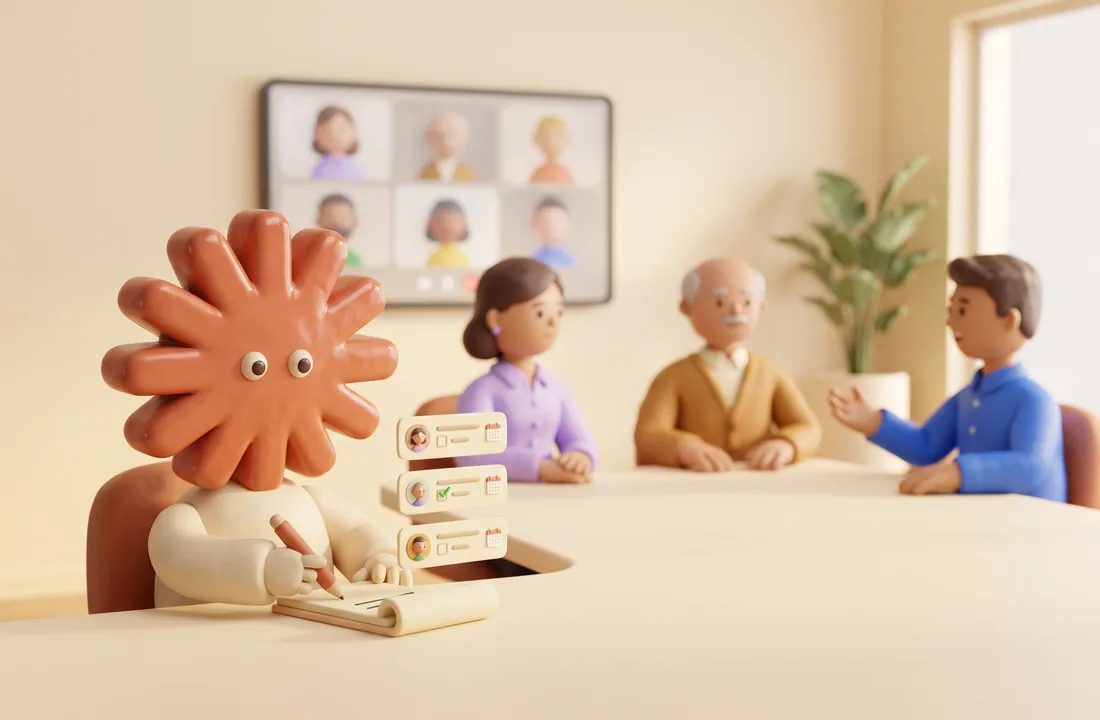
In short: Anthropic has launched Claude Meetings. It brings Claude into video calls to draft plans, take minutes and build task lists while people are still talking. The beta works only on Google Meet and only on Claude's team and enterprise plans, so most Vietnamese businesses cannot use it yet. It is still a good moment to standardise your minutes template and your rules for assigning work, because AI meeting notes only save time when what happens after the meeting is already clear.
What Anthropic announced
According to TechCrunch, Anthropic has introduced a set of features for office work, including Claude Meetings. A team adds Claude to a video call, and everyone on the call sees Claude as a participant. While people talk, Claude drafts the plan under discussion, sketches a timeline on a whiteboard and answers questions in the chat. It can also pull information from connected work apps, such as last year's figures. After the meeting, the minutes, the task list and any documents Claude created are waiting on claude.ai.
On control, Claude introduces itself as a participant and posts a notice in the chat. If a call includes external guests, Claude joins only when an administrator allows it, and if an outside guest joins mid-call, Claude leaves. The feature is in beta and open only to Claude's team and enterprise plans. At launch, Claude Meetings works only with Google Meet. Anthropic says support will expand but has not said when.
In the same release, Anthropic launched Claude Whiteboards, a shared whiteboard that turns discussion points into timelines and deadlines and then into documents or slides. Claude Sheets lets a team create and edit spreadsheets with multiple sheets, formulas and dropdown lists together. Claude Data, previously called Claude Dashboards, is now generally available. It connects to a data warehouse or a customer relationship management (CRM) system and answers questions with dashboards. The launch comes a few weeks after OpenAI introduced an office toolkit for ChatGPT, and Meta has joined in with an AI agent called Muse.
What this means for businesses in Vietnam
What is new about Claude Meetings is that the AI gets to work during the meeting instead of summarising it afterwards. In small and mid-sized businesses, the time-consuming part usually starts after everyone leaves the room. A secretary listens back to the recording, types up the minutes, then messages each person about their part. A few days later the team finds out that some tasks were never picked up. If the AI drafts a task list with owners before the meeting ends, that gap gets much shorter.
The immediate barriers are concrete. Businesses that meet on Zoom, Microsoft Teams or Zalo group calls cannot use Claude Meetings yet. The feature is only on team and enterprise plans. The announcement also says nothing about how well it handles Vietnamese, including when people mix in English or speak with regional accents. Since it is still a beta, important meetings should not depend on it entirely.
The bigger risk is data. A tool that hears the whole meeting and can read figures in the company's software needs clear rules. Staying out of calls with external guests is a good layer of protection, but internal meetings about pay, discipline or cost of goods are still for the business to decide. The full control framework is in our article on AI governance and data security.
How to use AI for meeting minutes and follow-up tasks
Start with one recurring type of meeting. Decide what output you want first, then hand the note-taking and task list to the AI. The steps below apply to Claude Meetings and to other meeting-notes tools.
Step 1: Pick one type of meeting to trial
A weekly team meeting or a project status meeting is a good choice. These meetings happen regularly, stay internal and make before-and-after comparisons easy. In the early stage, keep AI out of meetings with customers or partners.
Step 2: Fix the minutes template before turning on AI
The template should have five parts:
- Decisions made in the meeting.
- Tasks, one per line.
- The owner of each task.
- A due date, written as a specific date.
- Open issues, held over to the next meeting.
With this template, the person chairing the meeting can tell whether the AI's draft is complete. Put the template in the prompt so the AI returns results in that structure instead of a generic summary.
Step 3: Set rules for AI in meetings
Tell participants in advance that AI will be in the meeting. List the types of meetings where AI is not used. Spell out who may connect which company apps to the tool. Write the rules as a short document and send it to the whole department.
Step 4: The chair reviews the task list before it goes out
AI can assign a task to the wrong person or misread a deadline, especially when people say things like "done next week" or "Nam will handle this part". The chair reads the list, corrects it and only then sends it. After that, move the tasks into the task management tool you already use to track them. If you want to automate this step, see our article on business process automation.
Step 5: Measure before and after
Before turning on AI, record three numbers over a few weeks: the time from the end of a meeting to sending the minutes, the number of tasks with both an owner and a due date, and the number of tasks finished on time. Measure again after using AI. Your own numbers will tell you whether the tool is worth paying for; the vendor's announcement will not.
Frequently asked questions
Can businesses in Vietnam use Claude Meetings yet? The announcement does not mention any country restrictions. The stated conditions are a Claude team or enterprise plan and meetings on Google Meet. The feature is still in beta, so check directly with Anthropic before planning around it.
Will AI take accurate minutes of a meeting held in Vietnamese? Anthropic has not published anything about Vietnamese quality. The safest approach is to trial it on a few real meetings and compare the AI's minutes with the secretary's notes before dropping the old way of working.
What should businesses on Zoom or Microsoft Teams do? At launch, Claude Meetings does not support these platforms. It is still worth standardising your minutes template and task rules now, because that groundwork carries over to whatever tool you choose later.
HAT Solutions helps businesses choose AI office tools that fit the meeting platform they already use, draft minutes templates and data rules, and connect post-meeting task lists to their task management software. Send us your current meeting and task assignment process and we will suggest how to run a trial. Contact us for advice, or read more in AI tools for the office: how to choose and use them well.
Need advice for your business?
Talk to HAT Solutions to get a digital transformation and AI roadmap that fits how you actually work.
Get advice