HAT Insights
Business management software: how to choose ERP, CRM and HRM
Business management software covers ERP, CRM, HRM, inventory and accounting. How to tell what you need, what to ask vendors and what 3 years really cost.
Published · 9 min read
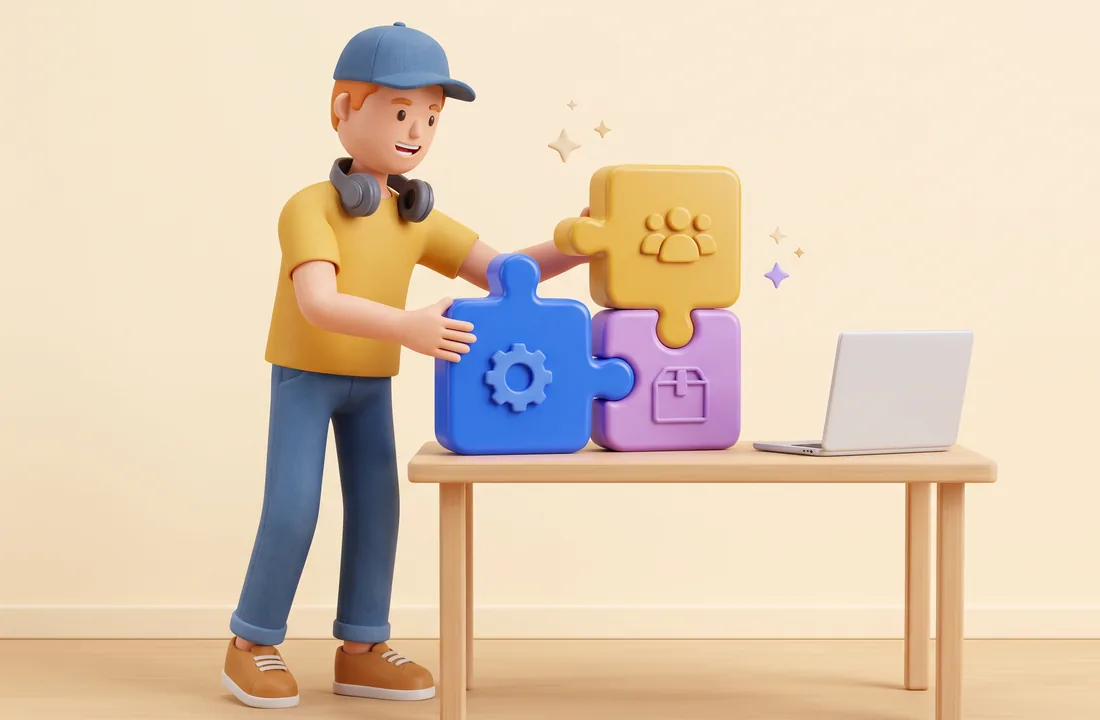
In short: Business management software lets every department work from the same data: sales (CRM), inventory, accounting, HR (HRM), or all of them in a single ERP system. Choose based on the process that hurts most and on the total cost over three years, not on the longest feature list. The most expensive mistake is buying first and mapping your processes afterwards.
What is business management software?
Business management software records a company's daily transactions (orders, stock movements, invoices, timesheets) and turns them into reports for managers. Unlike a spreadsheet, each figure is entered once and every department sees the same figure.
Picture a hypothetical distributor with 50 staff. Sales close orders over chat apps, the warehouse logs shipments in its own file, and accounting re-keys every order to issue invoices. The same order is typed three times, and at month end three departments report three different revenue numbers. Business software exists to fix exactly that.
ERP is the name most people know, but it is only one option. Most small and mid-sized companies run a few specialised tools that are connected to each other.
ERP, CRM, HRM, inventory and accounting compared
| Software | What it manages | Main users | Key report |
|---|---|---|---|
| Accounting | Vouchers, receivables, payables, tax, ledgers | Finance | Financial statements, ageing of receivables and payables |
| CRM (customer relationship management) | Customers, opportunities, quotes, service history | Sales, customer service | Sales pipeline, revenue per salesperson |
| Inventory / WMS (warehouse management) | Items, locations, receipts, issues, stock, batches, expiry | Warehouse, purchasing | Stock on hand, slow-moving items |
| HRM (human resource management) | Staff records, contracts, attendance, payroll, reviews | HR and admin | Payroll, working days, headcount changes |
| ERP (enterprise resource planning) | All of the above, plus production and purchasing | Whole company | Management reports across departments |
Point-of-sale and order software for small retailers sits between CRM and inventory. Manufacturing software adds bills of materials, work orders and machine scheduling, which lighter ERP packages often handle poorly.
How the pieces fit together
The modules connect through a few shared codes: customer, item and employee IDs. When those codes are consistent, data flows in one direction. Sales create the quote and order in the CRM, the warehouse ships it and stock goes down, the shipment becomes an invoice and a receivable in accounting, and attendance in the HRM becomes payroll and then an expense entry. Management reports read from all four.
In an ERP all of this lives in one database. With separate tools, the steps are linked through APIs, the "doors" that let one program send data to another without anyone copying it by hand. Ask about APIs before you buy. Software with a weak API leaves you exporting to Excel and importing again for years.
Which software does your company need first?
You need new software when a process keeps going wrong or becomes slow enough to affect customers or cash flow. Typical signs: sales and finance disagree on monthly revenue, staff must call the warehouse to answer "is it in stock?", a departing salesperson takes the customer list with them, payroll depends on one person and one fragile spreadsheet, or the director cannot get gross margin by customer.
The table below is a common rule of thumb, not a fixed rule:
| Situation | Usually start with |
|---|---|
| Services firm, little stock, many clients | CRM connected to accounting |
| Distribution or wholesale, many SKUs | Sales software with inventory, then CRM |
| Multi-store retail | Omnichannel sales software with a central stock view |
| Make-to-order or batch manufacturing | Inventory and production control, then consider ERP |
| Over 100 staff, shifts, several sites | HRM with attendance and payroll |
Cash-flow reporting is rarely a separate product. It becomes reliable once receivables (from sales) and payables (from purchasing) both live in the system.
One ERP or several specialised tools?
For most SMEs, two to four specialised tools linked by API carry less risk than a full ERP. ERP makes sense when cross-department processes are stable, there is production or several entities whose numbers must be consolidated, and leadership accepts a project that runs for many months.
| Single ERP | Connected specialised tools | |
|---|---|---|
| Data | One database, fewer mismatches | Synced via API; can drift if a connection fails |
| Rollout | Big-bang, many teams change at once | Step by step, most urgent team first |
| Depth per area | Strong in some areas, thin in others | Each tool goes deep in its area |
| Risk | A delay hits the whole company | A failure affects one area |
| Vendor lock-in | High, hard to switch later | Lower, parts can be replaced |
Seven selection criteria and what to ask vendors
- Fit with your key processes. "Can you run our quote, shipment and collection process on our sample data?"
- Integration. "Do you have an open API, and which accounting, e-invoice and marketplace systems do you already connect to?"
- Local accounting and tax compliance. Vietnam's Circular 99/2025/TT-BTC replaces Circular 200/2014/TT-BTC for financial years starting on or after 1 January 2026, and companies need to update the chart of accounts in their software, according to KPMG Vietnam (2025). Ask: "Are regulatory updates included, and how quickly do they ship?"
- Data ownership and exit. "If we stop subscribing, in what format can we export all our data, how fast, and at what cost?" For SaaS, also ask where the servers are and who can access them.
- Permissions and audit log. "How fine-grained are permissions (by team, branch, field), and does the system log who changed what and when?"
- Implementation team and support. "Who exactly will implement for us, how many projects have they done in our industry, and what response times do you commit to?" Ask to speak with one or two past clients of a similar size.
- Three-year cost. "Quote years two and three as well, assuming 30% more users, including implementation, data migration, training, customisation and maintenance." The 30% is just an assumption to force the quote to account for growth.
Comparing solution groups
Rather than ranking vendors, compare solution groups, because products within a group tend to share strengths and risks. No prices are listed here: they depend on users, modules and implementation partner, so request quotes against the same requirements document.
| Group | Good fit for | Cost structure | Rollout time | Watch out for |
|---|---|---|---|---|
| Local SaaS | SMEs that need to go live quickly with common processes | Annual subscription per user or per module | Shortest, often weeks per module | Knows local accounting, tax and e-invoicing; limited deep customisation; check data export terms |
| International ERP | Subsidiaries of foreign groups, consolidated reporting, complex processes | High licence or subscription, plus partner fees that often exceed the licence | Long, measured in months | Needs a strong local partner; local accounting may need extra work |
| Open source, e.g. Odoo | Companies with distinctive processes that want control over customisation and data | Community edition has no licence fee, Enterprise is a paid subscription; the main cost is implementation, customisation and hosting | Medium to long, depending on customisation | Heavy customisation makes upgrades hard; quality depends entirely on the implementer |
| Custom build | Truly unusual processes that packaged software cannot handle | High upfront development plus a permanent technical team | Longest, hardest to estimate | Dependence on a few developers; you own security, backups and regulatory updates |
On licensing, Odoo's official documentation states that the Community edition is licensed under LGPL version 3, while the Enterprise edition requires a paid subscription per user.
What three years of ownership really cost
Total cost of ownership is everything you pay to get the software running and keep it running. Budget for subscriptions or licences (which usually rise with headcount), implementation and configuration, data migration, customisation and API work, training for new hires, hosting and backups if you install on-premise, and the time of your own people. That last item is often the largest and never appears on an invoice: managers must describe processes, clean data, test and retrain staff while still doing their day jobs.
Six steps to choose and implement
The steps go faster if you already have a digital transformation roadmap. If not, read Where should digital transformation start? first.
- Map current processes and set scope. Each team documents three to five core processes, who does what and where errors occur. Phase one covers one or two teams.
- Write requirements and acceptance tests. Separate must-haves from nice-to-haves and define how each will be checked, for example "stock report by batch in under a minute".
- Have two or three vendors run your process on real data. Send the same requirements and masked sample data to vendors from different groups. Refuse scripted demos.
- Clean data before migration. Merge duplicate customers, standardise item codes, fix opening balances for receivables and stock at a set date.
- Run in parallel, then cut over. Run old and new side by side for a short period, usually one month or one closing cycle, reconcile, then set a firm date to stop the old way.
- Measure and expand. Compare KPIs such as month-end closing time, stock discrepancies and time to answer order-status questions. Add the next module only when the current phase is stable.
Common mistakes and when not to buy
Buying from a polished demo without testing your real process is the most common mistake. Close behind: insisting the software mirror old habits (every customisation adds cost and upgrade risk), leaving the project entirely to IT or the vendor, and signing contracts without exit terms covering data export and ownership of customisations. Treat the project as a chance to fix processes and prepare people for the change, as covered in our guide to change management.
Hold off when you cannot yet say which process the software will fix and which KPI will prove it, or when the business is mid-restructure. For very small companies with few transactions, accounting software plus a well-designed spreadsheet can be enough, and the money may be better spent automating one costly process.
Business software is also the data foundation for AI. Once orders, stock and receivables sit in one system, an AI agent can answer questions about them or draft quotes. Ask vendors about read APIs for future AI use.
FAQ
Does a small business need ERP? Usually not at first. Most start with accounting plus sales software or a CRM that talks to it, and consider ERP once there is production, several branches or a need to consolidate.
SaaS or on-premise? SaaS is faster to roll out and removes server and backup work, which suits most SMEs. On-premise fits specific data-residency needs or deep customisation, but you carry the infrastructure and security burden.
How do I build management reports from the software? First agree on shared customer and item codes and how revenue is recognised. Then pick the five to seven figures leadership actually uses and build a dashboard that reads directly from the system. See the data-driven business.
How long does implementation take? It depends on modules, data quality and customisation. One SaaS module can go live in weeks; a multi-module ERP usually takes months. Ask for a week-by-week plan before signing.
HAT Solutions helps companies choose software against neutral criteria: mapping processes, writing requirements, scoring options together and connecting the new system to the tools already in use. Send us the processes you still run in spreadsheets and we will advise on software selection. Read next: the digital transformation roadmap and measuring digital transformation ROI.
Need advice for your business?
Talk to HAT Solutions to get a digital transformation and AI roadmap that fits how you actually work.
Get advice